


How to: build a runner’s training and progress dashboard
I recently built myself a bespoke motivation/accountability dashboard for my running training. It’s one of those projects that I would never have had the time to sit down and do from scratch, but thanks to advancements in AI and ‘vibe coding’ I managed to get it done one evening.
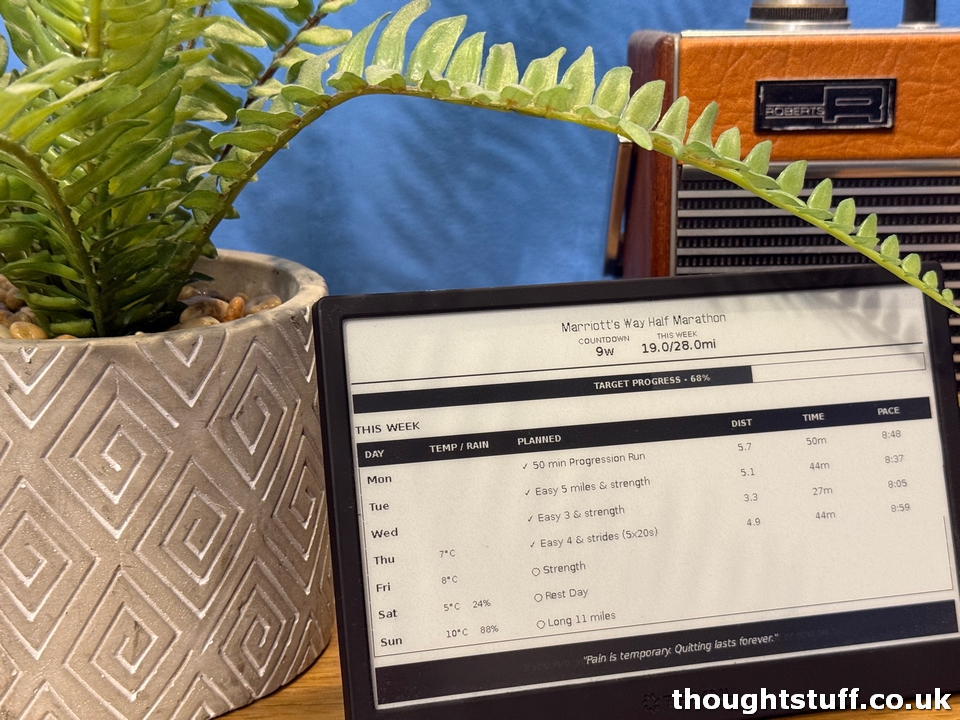
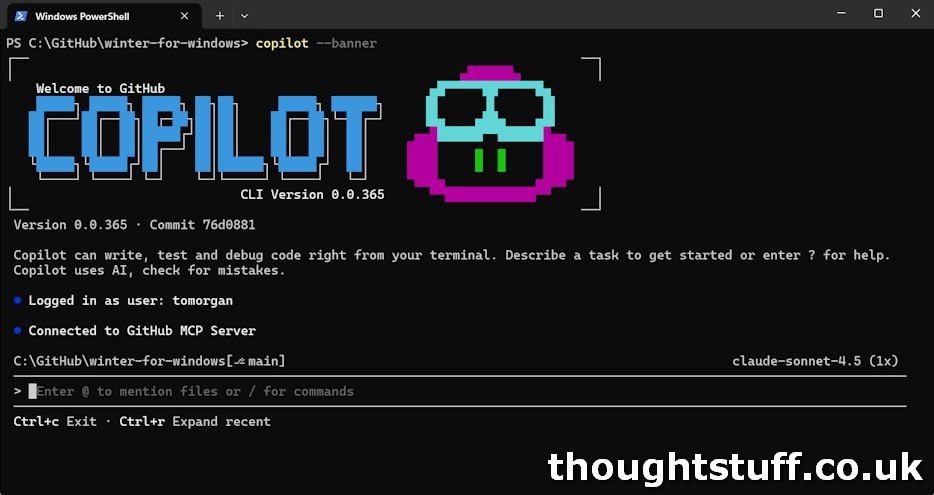
I chose to use GitHub Copilot CLI, which is the same GitHub Copilot that’s in Visual Studio and Visual Studio Code but just through Windows Terminal. As a developer, I’m finding that building entire ‘vibe’ projects this way to be strangely pleasing – because I’m not in a code editor it’s a mental shift away from more traditional development and I don’t feel the karmic weight of the code that’s being generated because I can’t see it. It also means I can switch focus away to some other task, coming back periodically to issue new requests or clarifications. For this, GitHub Copilot used Claude Sonnet 4.5.
I recently had success using this to create another vibe-coded project: Winter for Windows.
The Problem
I tend to train best when I’m aiming at some future event, so I try and make sure I’m signed up to something most of the time. This time around I signed up to a half-marathon with about 3 months notice and so I decided to look for a training plan to see if I could improve my time. In the past I’ve used ChatGPT to create training plans, and it’s done a good job, but this time I used one from Ben Parkes, mostly because I think he has the nicest running tops.
The training plan came as a PDF. I don’t have a printer but I can view it on my phone. However, on Sunday nights, when I needed to plan what I was going to do when (because in the real world we can’t always run exactly when it says to on the training plan!) I found that I was writing down the plan for the week, and then constantly referring to it throughout the week. Was tomorrow the Easy 3, or the one with the Strides, or what?
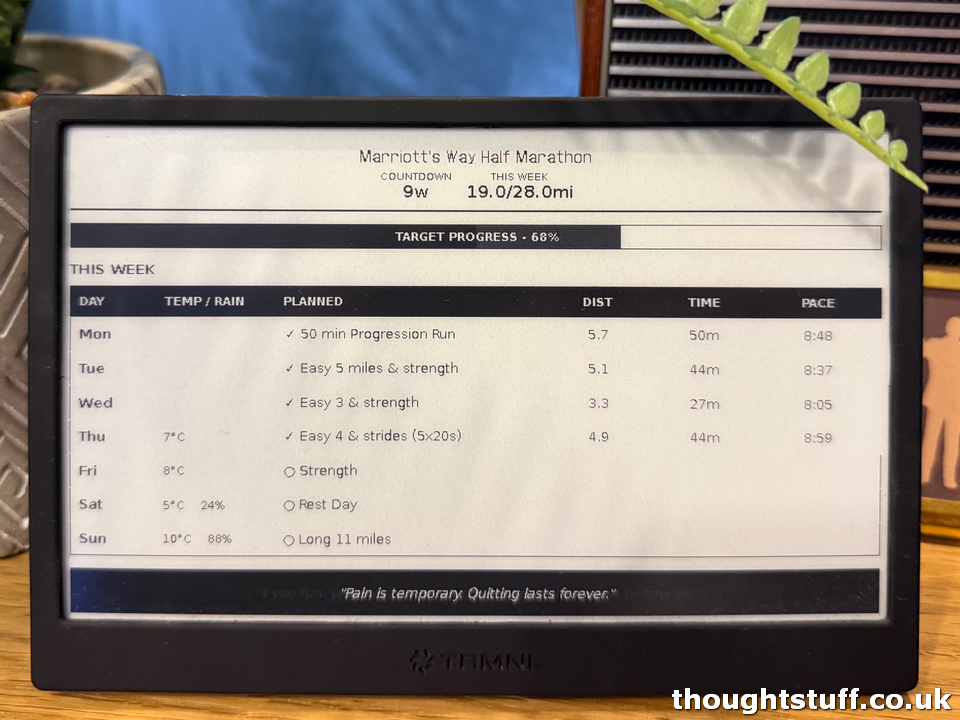
I already had a TRMNL device, which I’ve variously used as a task list and to count down to my next speaking event, plus we have another one in the kitchen with the family calendar and house battery stats, and I thought this would be the perfect device to show the training plan, somehow.
I also needed something to give me that extra bit of motivation throughout the winter months, and the idea of always being able to see how many miles I’d run that week against my goal, would be a good way to keep me on the waggon.
Overnight Success 20 years in the making, or Prerequisites to ‘just vibing it’
There’s an interesting thing about vibe coding, which might explain the wild differences in how people talk about it. I think that, for a certain type of developer, it can 10x your productivity. However, for others, it can actually slow you down – AI Drag is a thing. Scott and Mark talk about this better than I can. Luckily, I’m in the 10x camp.
I also know what Microsoft Azure is and have an account there, and I understand the client/API model. I know what JSON is. I understand (mostly) how OAuth works when dealing with third party APIs and where to avoid putting sensitive data. I know the language of CSS. Note that I say I know the language. I’m bad at CSS and could not be relied on to produce the output of this project, but I understand the language enough to use the right words when describing what I want.
All of these things (I think) mean that I can have a very productive interaction with a coding AI and come away with some great results. I’ve put all my generated code into 2 public repositories so that if you want to, you’re welcome to use the (excellent) auto-generated README files to create your own.
What I “built”
There are 2 projects – the API and the front-end. They are separate from each other, in the sense that you could consume the API elsewhere and not use the plugin, but the plugin assumes an API that works in the way that this one does.
Part 1 – The API
The API is built in python and I chose to deploy it to an Azure function, but you could host it elsewhere if you’re more comfortable doing that. The API conveys:
- Your next event, and how many weeks away it is
- Your total miles run so far this week, and your target for the week
- The training plan for the week
- The weather for each day
- A record of your recorded runs so far, from Strava
There are two external API calls to make this happen – Strava and OpenWeather. You’ll need an account on each, and there are instructions for what to do on each in the README.
All the other data is stored as environment variables, so that it’s easy to update over time.
Each weekend, I’ll update the training plan for the week. It’s JSON, and looks something like this:
[
  {"day": "Monday", "workout": "Rest day"},
  {"day": "Tuesday", "workout": "Easy 5 miles"},
  {"day": "Wednesday", "workout": "Tempo 6 miles"},
  {"day": "Thursday", "workout": "Easy 4 miles"},
  {"day": "Friday", "workout": "Rest day"},
  {"day": "Saturday", "workout": "Long run 10 miles"},
  {"day": "Sunday", "workout": "Recovery 3 miles"}
]
When I want to change the running event I’m training for there is an environment variable for the name of the event and the date. There is also a JSON array for the weekly goals:
[
  {"weeks_until": 16, "target_miles": 15},
  {"weeks_until": 12, "target_miles": 20},
  {"weeks_until": 8, "target_miles": 25},
  {"weeks_until": 6, "target_miles": 28},
  {"weeks_until": 4, "target_miles": 30},
  {"weeks_until": 2, "target_miles": 20},
  {"weeks_until": 1, "target_miles": 10}
]
Based on this information, the API seems to be* smart enough to figure out what day it is, how many weeks to go, what the weekly goal should be, what the training plan is, and what running activities I’ve done that match those dates. It also picks from a selection of vaguely motivational quotes:
{
  "weekly_miles": 14.1,
  "target_miles": 28.0,
  "weeks_until_event": 9,
  "event_name": "Marriott's Way Half Marathon",
  "quote": "Every morning in Africa, a gazelle wakes up. It knows it must run faster than the fastest lion or it will be killed. Whether you are a lion or a gazelle, when the sun comes up, you better be running.",
  "weekly_plan": [
    {
      "day": "Monday",
      "day_short": "Mon",
      "workout": "50 min Progression Run",
      "completed": true,
      "distance_miles": 5.7,
      "duration_minutes": 50,
      "pace_per_mile": "8:48"
    },
    {
      "day": "Tuesday",
      "day_short": "Tue",
      "workout": "Easy 5 miles & strength",
      "completed": true,
      "distance_miles": 5.1,
      "duration_minutes": 44,
      "pace_per_mile": "8:37"
    },
    {
      "day": "Wednesday",
      "day_short": "Wed",
      "workout": "Easy 3 & strength",
      "completed": true,
      "distance_miles": 3.3,
      "duration_minutes": 27,
      "pace_per_mile": "8:05",
      "weather": {
        "temp_morning": 10.2,
        "feels_like_morning": 9.6,
        "precipitation_prob": 0,
        "description": "broken clouds"
      }
    },
    {
      "day": "Thursday",
      "day_short": "Thu",
      "workout": "Easy 4 & strides (5x20s)",
      "completed": false,
      "weather": {
        "temp_morning": 7.1,
        "feels_like_morning": 3.7,
        "precipitation_prob": 0,
        "description": "sky is clear"
      }
    },
    {
      "day": "Friday",
      "day_short": "Fri",
      "workout": "Strength",
      "completed": false,
      "weather": {
        "temp_morning": 9.3,
        "feels_like_morning": 7.2,
        "precipitation_prob": 5,
        "description": "overcast clouds"
      }
    },
    {
      "day": "Saturday",
      "day_short": "Sat",
      "workout": "Rest Day",
      "completed": false,
      "weather": {
        "temp_morning": 6.5,
        "feels_like_morning": 4.0,
        "precipitation_prob": 0,
        "description": "broken clouds"
      }
    },
    {
      "day": "Sunday",
      "day_short": "Sun",
      "workout": "Long 11 miles",
      "completed": false,
      "weather": {
        "temp_morning": 10.9,
        "feels_like_morning": 10.3,
        "precipitation_prob": 100,
        "description": "light rain"
      }
    }
  ],
  "has_weekly_plan": true,
  "progress_percentage": 50
}
The GitHub repo for this API is: https://github.com/tomorgan/trmnl-running-dashboard-api. You could either use it by itself as part of some other project, or with the TRMNL plugin project below. All the instructions should be in the README, but you’ll need to create an application in Strava and get a Client ID, and then do a little auth dance with the provided python script to get your tokens. You’ll also need an account with Open Weather (mine was free, but it was a long time ago so YMMV), and to know your lat/long for where you want the weather forecast.
*I say “seems to be” because I haven’t actually looked at the code for this. I’m deliberately experimenting with NOT getting involved with the code that gets produced, to see what happens. So far, it’s been working out OK.
Part 2 – The Plugin
TRMNL uses a specific design language for its plugins – the Liquid templating language. I think it’s fairly popular (Shopify created it I believe) but it’s not something I’d previously come across. I’d summarise it as HTML & CSS, with maybe some additional rules and restrictions around CSS, and the ability to insert variables using handlebar syntax, and do some basic conditional formatting and control flow stuff. For basic layouts, it’s pretty good, and fast to get something working.
The biggest limitation I found with TRMNL is that, because it’s a relatively low-quality monochrome e-ink display you can’t always display what you want to. Emojis especially, it seems to really struggle with. I understand why (mostly) and I’m more than happy with the trade for a device that is a lot less intrusive in my life (it doesn’t draw the eye like a regular screen does) and lasts 6 months between charges.
It’s also a little hard to work out whether stuff will fit on the screen or not without some trial and error. There is a sort of software emulator but it’s not instant and each change takes around 30 seconds of messing around to see how it renders. Usually this isn’t really a problem because most plugins take up a portion of the screen and can use built in components to display one or two keys pieces of information. However, I wanted a full-screen dashboard with a few different sections, and needed to be able to convey quite a bit of data. I got there in the end, it just took a few different attempts.
For what it is, there’s quite a bit of additional stuff in this project. The actual work of calling the API on a schedule and then inserting the values into the placeholders in the HTML is all done by TRMNL, so the only really needed file here is plugin.html. However the rest of the code lets you run it locally without needing a TRMNL or having an API to call, should you want to. Honestly, I think the AI got a little carried away on this one, but it’s fine.
You can find this repo here: https://github.com/tomorgan/trmnl-running-dashboard/tree/main
Docs: the unexpected win of the AI age
When it comes to AI generated coding, I’m almost more impressed with the quality of the documentation than I am with the code. This might be because I mostly know how to write the code, whereas I was never going to write the docs so I see this output as the bigger win. The quality of the docs is also a reason I’m putting all this stuff public rather than keeping it private as I would normally do – I don’t need to go to the effort to write up everything you need to know to get it deployed, as it’s all been nicely documented. Also, of course, if something isn’t clear you can load it into your AI tool of choice and have it explained to you there.
Conclusion
I’m loving having the mashup of accountability, motivation and organisation. It makes laying out my clothes the night before easier as I don’t have to check what sort of run I’m doing, and I think it really reduces the risk of my falling off the training plan and not hitting my weekly targets. I’m pleased with it and it makes me happy because it’s one of those little projects that I never would have got around to writing otherwise and it doesn’t make sense to expend any money to solve, but thanks to advancements in AI I was able to make for myself.
In a world where everyone is grumpy that AI is taking away creative jobs, I’ve taken an idea I had and made it a reality. As a developer, shouldn’t I be worried that this is going to take away my job? No! Firstly, this project was never going to be written anyway, no developer jobs were impacted as a result of AI doing most of the work here. Secondly, whilst I know our jobs will evolve as these tools change how we work, I’m confident in the value and knowledge we bring here to do all the other things that are not just typing syntactically correct machine code. It’s a fun time to be a developer!
Related posts:
 Weekly Update 8 December 2025 – Teams Phone Extensibility, VS AI updates, Winter for Windows
 Fitting an extractor fan
Weekly Update 4 April 2022 – Device Permission Changes, Teams Connect Dev, Microsoft Tech Days
Weekly Update 10 February 2025 – Building Agents with Copilot Part 2, ACS Jan Updates
Weekly Update 4 December 2020: Build Teams Apps Together, Activity Feed API, Christmas Countdown, Apps in Meetings
Fitting an extractor fan
Weekly Update 4 April 2022 – Device Permission Changes, Teams Connect Dev, Microsoft Tech Days
Weekly Update 10 February 2025 – Building Agents with Copilot Part 2, ACS Jan Updates
Weekly Update 4 December 2020: Build Teams Apps Together, Activity Feed API, Christmas Countdown, Apps in Meetings